Skydeck
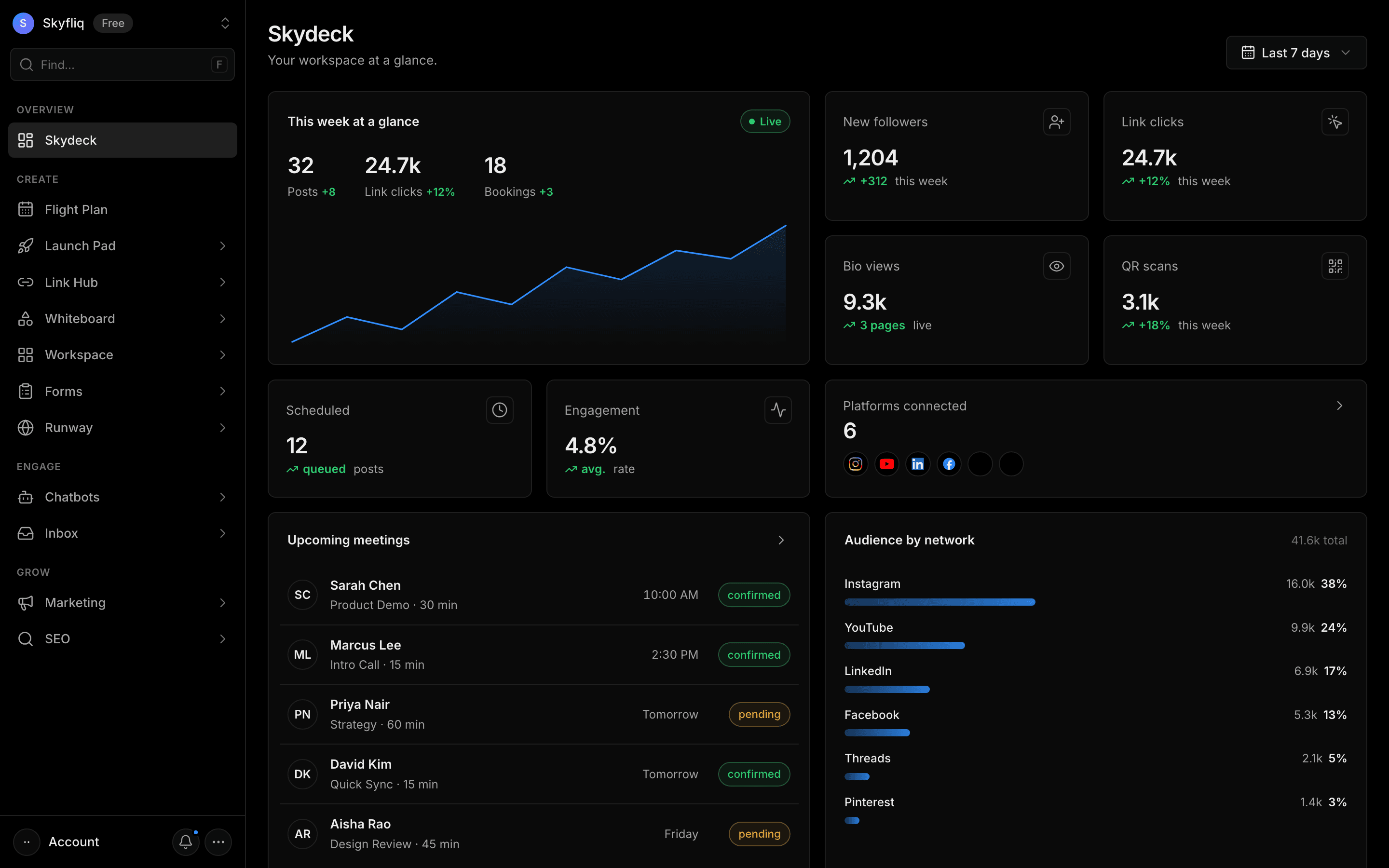
Skydeck home overview: KPI tiles (link clicks, posts this week, upcoming meetings, impressions, engagement, connected platforms), a 10-day trend of posts, link clicks and bookings, and cards for upcoming meetings, top links, posts by network, recent and scheduled posts, recent CRM leads, latest reviews, chatbot, email campaigns and forms.
- 1Open Skydeck from the sidebar — it fills in from your tools on its own; there is nothing to set up.
- 2Read the KPI tiles: Link clicks, Total posts (this week), Upcoming meetings, Impressions and Engagement (last 90 days) and Platforms connected.
- 3Scan 'This week at a glance' for the 10-day trend of posts, link clicks and bookings.
- 4Check the cards: Upcoming meetings, Top links, Posts by network, Recent posts, Scheduled posts, Recent leads (CRM, with the stage bar), Latest reviews, Chatbot, Email campaigns and Forms.
- 5Click a card's arrow to open that tool. SEO, website traffic and ad results aren't on Skydeck — open SEO, or Ads Manager, for those.
About Skydeck
Skydeck is the home screen of your Skyfliq workspace. It pulls the most important numbers from every tool into one view: audience growth, engagement over the week, audience by network, upcoming meetings from Booking Bay, your top links from Link Hub and your recent posts from Launch Pad. Pick a date range from the dropdown to change the period.
Use it as a morning check-in. If engagement dipped, open Launch Pad's analytics; if a link is taking off, open Link Hub; if the week is full of meetings, check Booking Bay. Each card has an arrow that takes you straight to the tool behind it, so Skydeck is where you start, not where you do the work.
Common workflows
- Monday review. Set the range to last 7 days and note what grew and what slipped.
- Before a meeting. Check upcoming meetings and jump into Booking Bay for details.
- Spot a winning link. Check Top links, then reuse that offer in your next post.
Common questions
Where does Skydeck get its numbers?
From your other Skyfliq tools: Launch Pad for posts and engagement, Link Hub for clicks and Booking Bay for meetings. Connect your social accounts so the audience figures fill in.
Can I change the date range?
Yes. Pick a range such as Last 7 days from the date dropdown and every card updates.
Related: Social media KPIs explained · Social media scheduler