Flight Plan
Flight Plan: one read-only calendar across every Skyfliq tool — posts and social campaigns, email sends and A/B tests, meetings, deal close dates, form open/close dates, short links and bio pages, chatbot leads, reviews and mentions, Auto Blog articles and SEO reports, and ad campaigns — in Calendar, Months and Table views with a filter per tool.
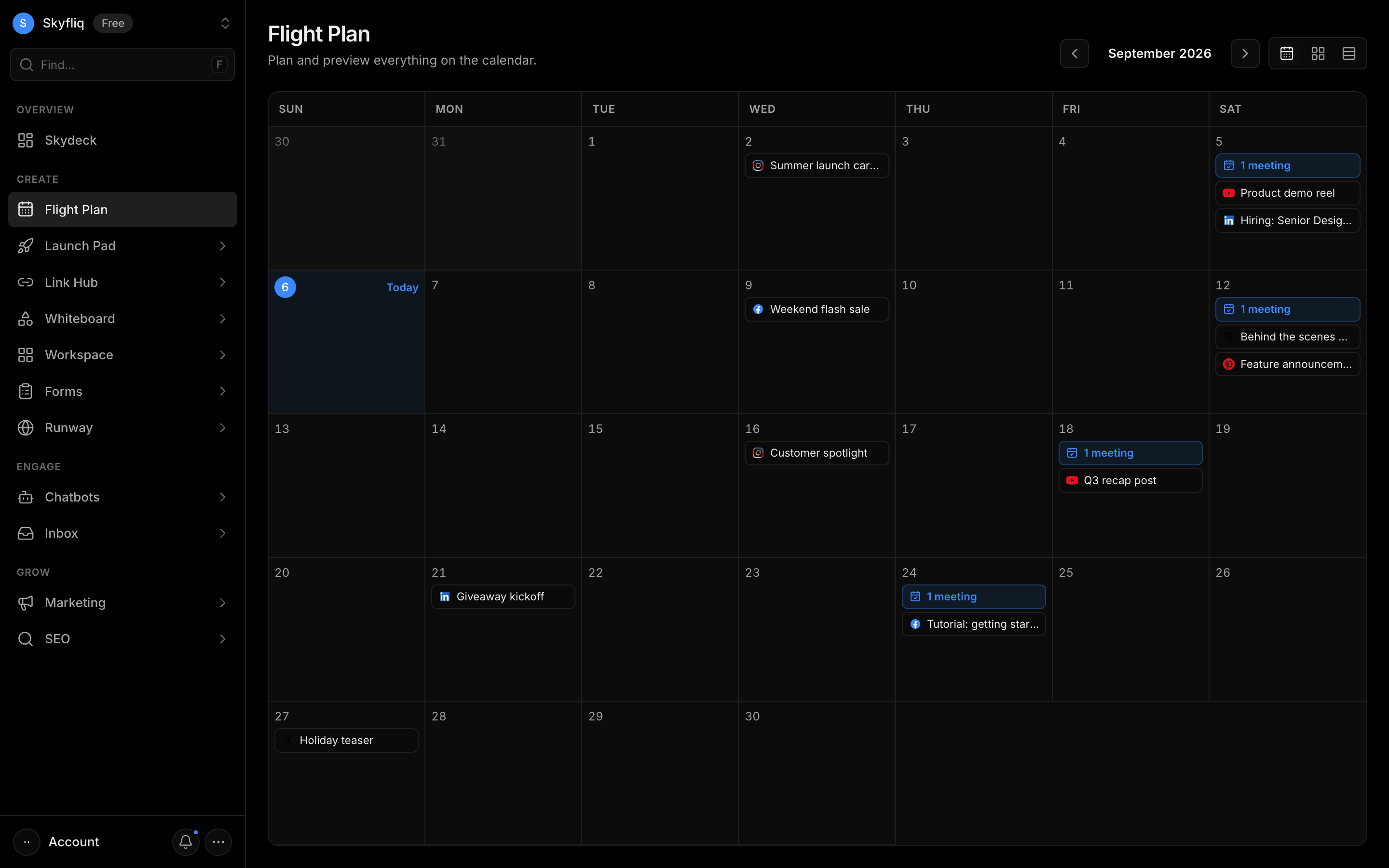
- 1Open Flight Plan from the sidebar.
- 2Switch between Calendar, Months and Table with the view buttons; use the arrows to move between months.
- 3Use the filter to show one tool (Launch Pad, Booking Bay, Link Hub, Forms, CRM, Chatbots, Reputation, SEO, Email or Ads Manager) or All.
- 4Hover or click a day to see its items, and click an item to open it in its tool.
- 5In an empty month, use 'Plan my month with Flit' to get a plan, then create each piece in its tool.
About Flight Plan
Flight Plan is the calendar that shows everything you have scheduled across Skyfliq in one place: social posts from Launch Pad and meetings from Booking Bay. Switch between a calendar view, a months view and a table, move between months with the arrows, and filter by platform to focus on one channel. Click any day to see its posts and meetings.
It answers the planning questions that are hard to see post by post: are there gaps next week, is one channel getting everything, does a busy day of meetings clash with a launch? To create or change posts, open them in Launch Pad, Skyfliq's social media post scheduler.
Common workflows
- Plan the month. Use the months view to spot empty weeks and fill them in Launch Pad.
- Check one channel. Filter by platform to see everything going to, say, Instagram.
- Daily run-down. Click today to see the posts going out and the meetings booked.
Common questions
Can I schedule posts from Flight Plan?
Flight Plan is for seeing everything in one calendar. Posts are written and scheduled in Launch Pad, and bookings come from Booking Bay; both show up here automatically.
Which views are there?
Calendar, Months and Table. All three can be filtered by platform.
Related: Social media scheduler · Social media content calendar guide