DocsCRM
Product
CRM
5 pages/crm
A CRM workspace tracking contacts and deals through pipeline stages with an activity timeline and analytics.
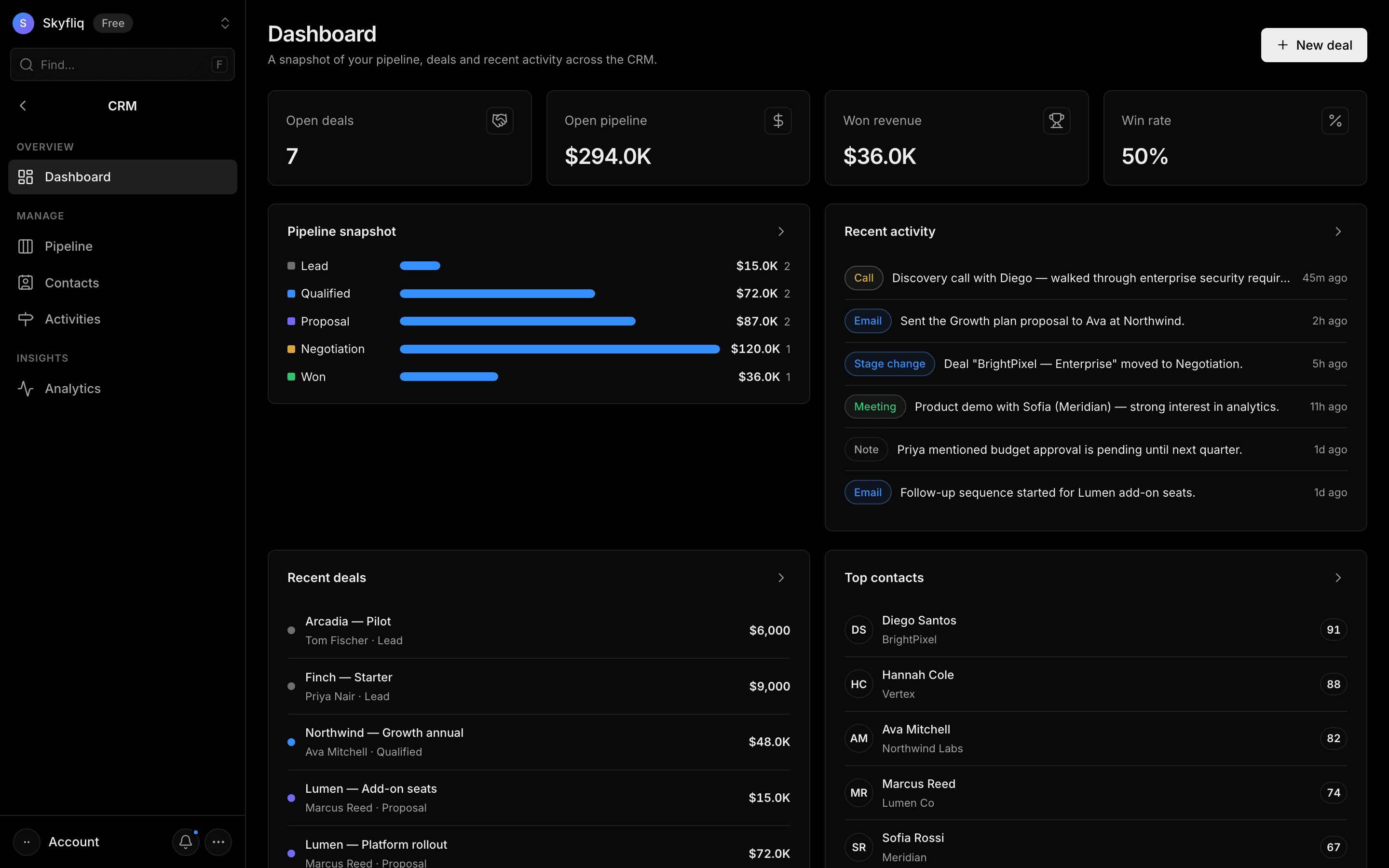
PurposeThe CRM home dashboard giving a snapshot of pipeline, deals, contacts, and recent activity in one place.
app.skyfliq.com/crm Open
How to use
- 1Scan the top KPI cards for open deals, pipeline value, won revenue, and win rate.
- 2Review the Pipeline snapshot funnel to see value by stage.
- 3Check Recent activity, Recent deals, and Top contacts panels.
- 4Hit New deal to add a deal from the header.
Use caseManage your sales relationships end-to-end, from a new lead to a won deal, in one place.
Pages in CRM
Each page below has its own guide — description, purpose, how to use, and a screenshot.
DashboardA snapshot dashboard showing open-deal KPIs, a pipeline funnel, recent deals, activity, and top contacts.PipelineA drag-and-drop Kanban board of deals across stages with create, edit, and stage-move actions.ContactsA searchable, stage-filterable directory of contacts with lead scores, tags, and per-record activity.ActivitiesA newest-first timeline of calls, emails, notes, and meetings, filterable by type with counts.AnalyticsCRM analytics covering pipeline value over time, deals by stage, activity mix, top performers, and contact sources.