DocsChatbots
Product
Chatbots
17 pages/chatbots
A no-code website chatbot product for building rule-based bots that answer visitors and capture leads.
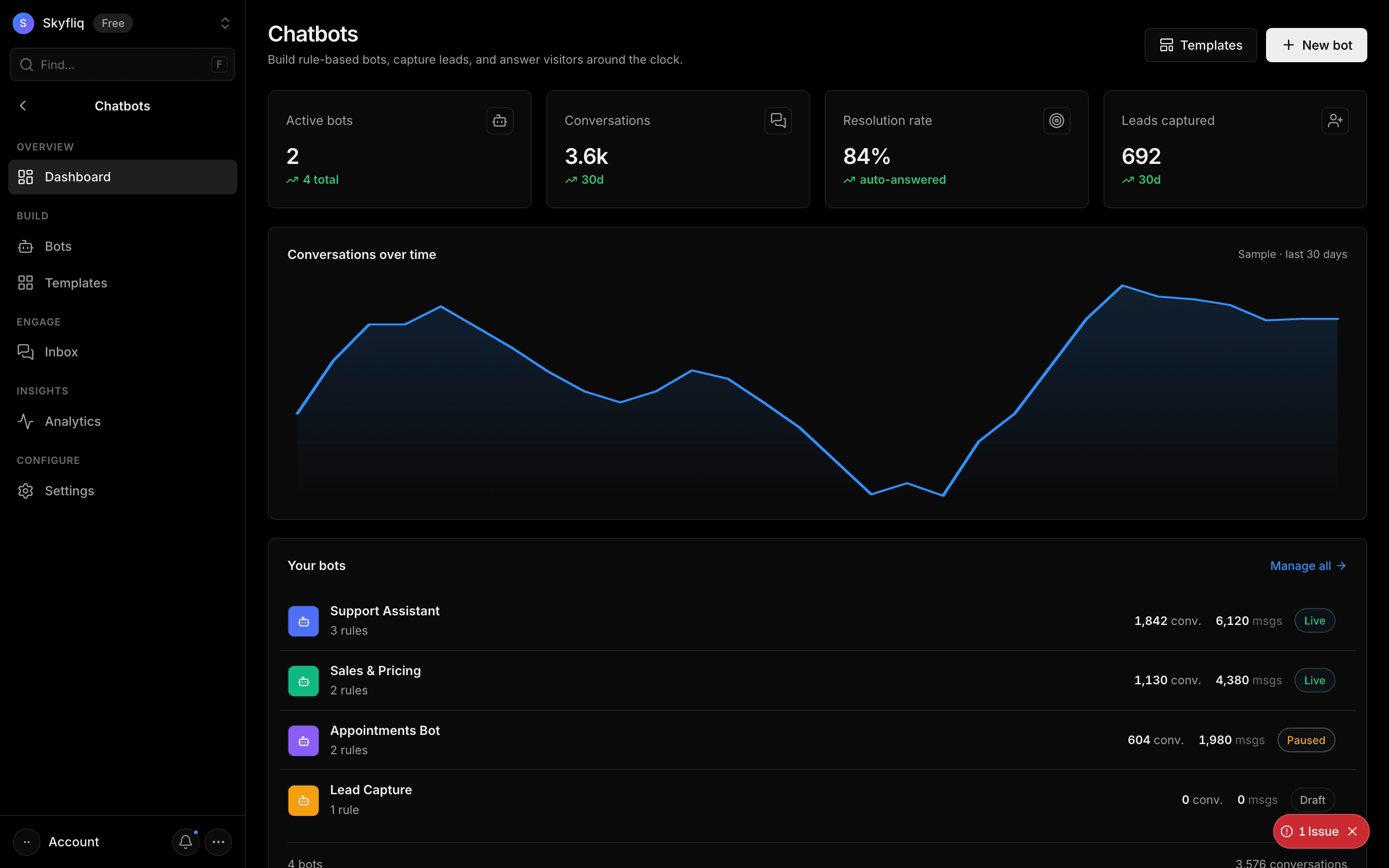
PurposeThe Chatbots home to build rule-based bots, capture leads, and answer visitors around the clock.
app.skyfliq.com/chatbots Open
How to use
- 1Review Active bots, Conversations, Resolution, and Messages KPIs.
- 2Click New bot to open the flow builder, or Templates to start ready-made.
- 3Read the Conversations-over-time chart.
- 4Open Your bots and click a bot name to edit its flow.
Use caseLaunch a keyword-driven support bot on your site to answer FAQs around the clock without AI.
Pages in Chatbots
Each page below has its own guide — description, purpose, how to use, and a screenshot.
DashboardA chatbots overview with active-bot and conversation KPIs, a conversations-over-time chart, and a bots list.PlaygroundA widget builder with a live preview and sections for Overview, Pages, Content, Suggestions, Capabilities, Style, Typography, and Launcher.BotsA bot list plus a visual flow builder for greeting, keyword-to-reply rules, fallback, embed snippet, and live preview.TemplatesA category-filtered gallery of ready-made rule packs (support, sales, booking) with a chat preview modal.InstructionsA saved brief for the agent covering business context, role, reply language, formatting, and guardrails — replies stay rule-based.Data sourcesThe agent's trained answers: greeting message, quick replies, keyword or example-question to reply rules, and a fallback message.WidgetsAn install page with the one-line embed script, a Copy button, Live/Paused status, an open-in-new-tab link, and a widget preview.Help & NewsHelp articles and News posts tabs, each with a list, a markdown editor, category/order or date/link fields, and a Published toggle.GuardrailsBlocked topics and words, reply checking, strict matching, answering from Help articles, a reply-length cap, and the safe reply.ConversationsA support-console inbox of bot conversations with a thread view, agent replies, and a visitor info panel.LeadsA table of visitors who left their email in the widget, with bot, source (outside business hours or asked for a person), status, and date.Collected dataDetails-form settings (ask for name, one custom field, required) plus a table of everything visitors submitted, exportable to CSV.ChatsChatbot analytics with resolution/CSAT KPIs, deflection donut, top intents, channels, per-bot, and unanswered questions.TopicsMessage, answered, unanswered, and guardrail-stopped counts, with answered topics grouped by matched answer and unanswered keyword themes.SentimentPositive, neutral, and negative conversation counts, a by-day chart, the overall mix, and a per-conversation table scored from thumbs feedback and word lexicon.ContactsOne row per visitor email with name, conversation count, bots, source, and first/last seen, plus search and CSV export.SettingsBot defaults, widget appearance, human-handoff rules, business hours, and a delete-data danger zone with live preview.