Email product overview showing hero KPIs (sent, open rate, click rate, revenue), a 30-day sends chart, and recent campaigns.
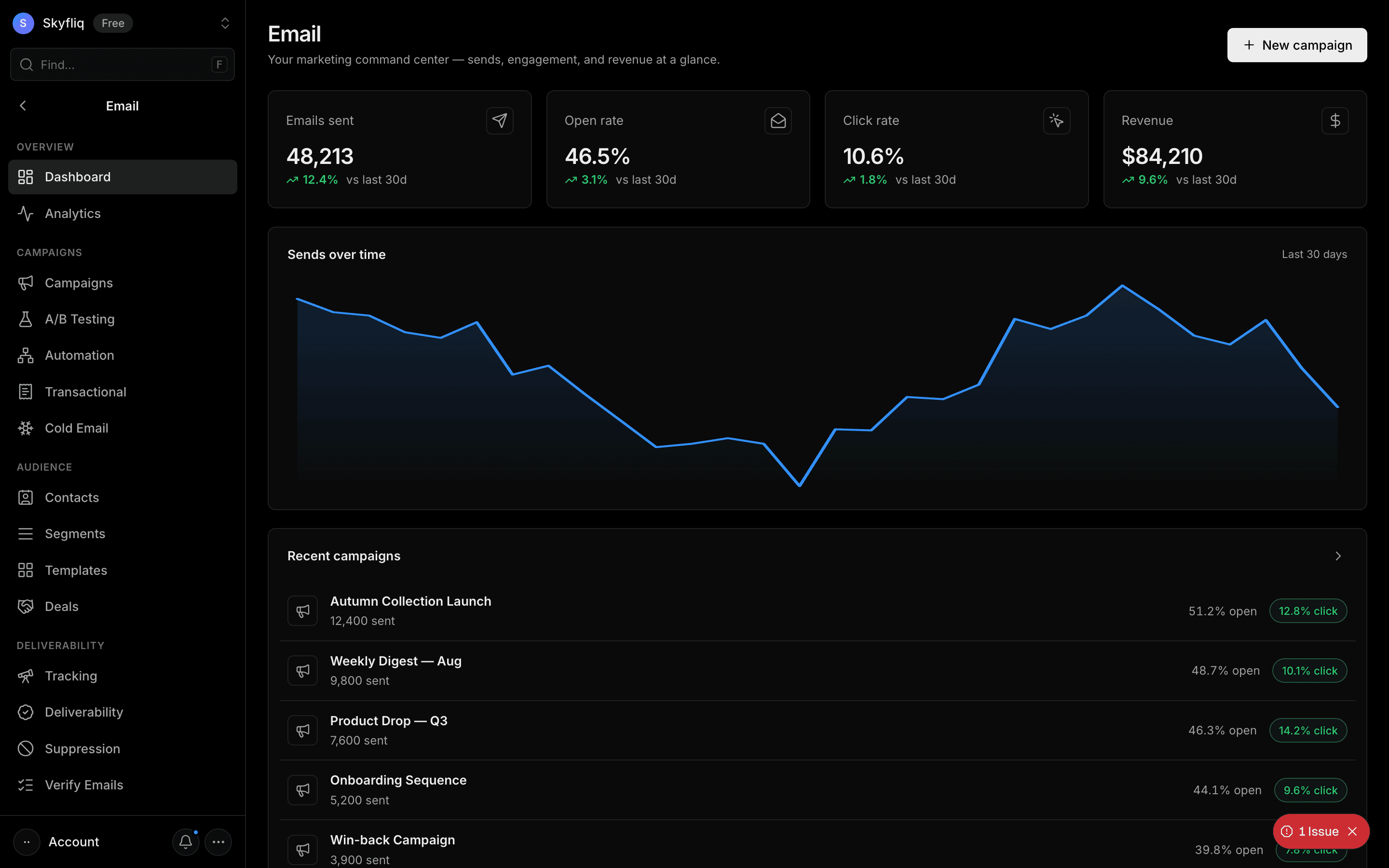
- 1Review the sent, open-rate, click-rate, and revenue KPIs
- 2Scan the Sends over time chart
- 3Check the Recent campaigns list
- 4Click New campaign to start one
About Email
Email is Skyfliq's email marketing tool. It covers the whole job: building your list, writing and sending campaigns, automating follow-ups and keeping your mail out of spam. The Dashboard shows emails sent, open rate, click rate and revenue with a 30-day sends chart, and Analytics breaks engagement down by campaign and device over 7, 30 or 90 days, with revenue attributed to the campaigns that drove it.
Campaigns are one-off broadcasts to a segment, with merge tags, a live preview, scheduling and per-recipient stats. A/B Testing tries subject lines on a slice of your audience and rolls out the winner. Automation builds journeys such as a welcome series, with triggers, waits, splits and conditions. Transactional sends system emails like receipts and password resets through an API key, and Cold Email runs follow-up sequences from your own inboxes, with a gradual daily ramp-up.
Your audience lives in Contacts and rule-based Segments, and Templates hold reusable layouts with your brand colour. Deliverability checks SPF, DKIM and DMARC and shows your sender reputation and bounce trend, Suppression keeps unsubscribes, bounces and complaints from being emailed again, and Verify Emails checks addresses before you send.
Common workflows
- Send your first newsletter. Set up your sending domain in Deliverability, import contacts, build a template, then create a campaign for a segment.
- Welcome new subscribers. Start an automation from a template, set its trigger and add timed emails.
- Protect deliverability. Verify an imported list before the first send and keep an eye on bounces and complaints.
Related: Email deliverability guide · Docs: email campaigns
Each page below has its own guide — description, purpose, how to use, and a screenshot.