Launch Pad
Launch Pad dashboard showing posts, reach, engagement, scheduled counts, cross-platform charts, channel breakdown, activity feed, sentiment and audience heatmap.
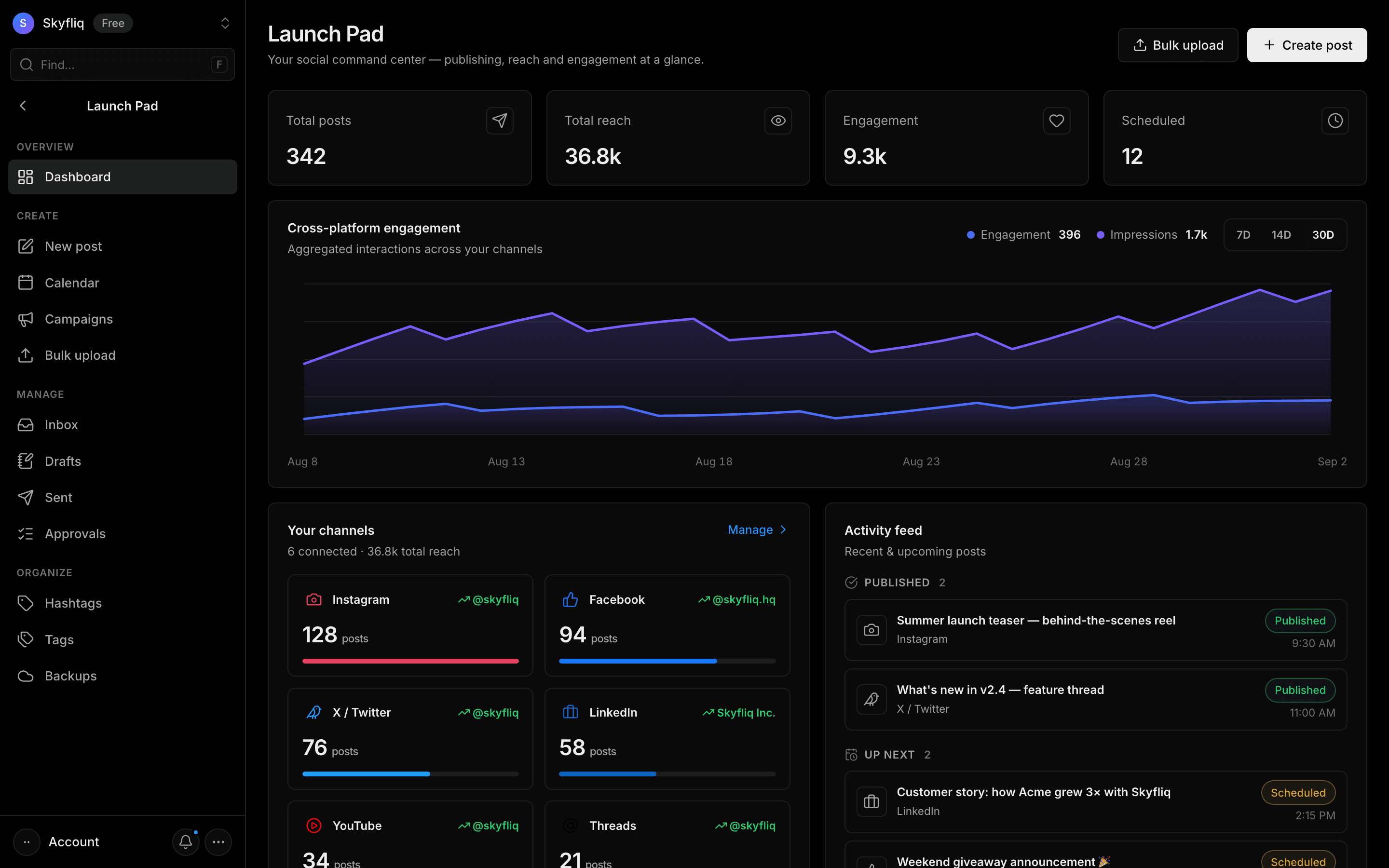
- 1Review the Total posts, reach, engagement and scheduled stat cards.
- 2Switch the engagement chart between 7D, 14D and 30D ranges.
- 3Scan Your channels, Activity feed and Sentiment cards.
- 4Click Create post or Bulk upload to start publishing.
About Launch Pad
Launch Pad is Skyfliq's social media post scheduler — the part of Skyfliq where posts are written, scheduled, published and measured. Write a post once in New post, pick the connected accounts it should go to, adjust it per network, and publish now or schedule it. The Calendar shows every queued, published and draft post on a month grid, Campaigns group related posts so you can see their reach and clicks together, and Bulk upload schedules a CSV of posts in one go.
Once posts are out, the Inbox collects comments, direct messages and mentions from your channels so you can reply in one place, Sent lists every published post with its reach, engagement, likes, comments and clicks, and the Dashboard charts it all with a best-time-to-post heatmap. For teams, Approvals holds posts until a reviewer signs them off. Hashtag groups, colour tags and backups keep a busy account organised.
It's built for businesses, brands, agencies and freelancers who post to several networks every week and want one place to plan, publish and reply instead of switching between apps.
Common workflows
- Plan and schedule a week. Write each post in New post, schedule it, then check the Calendar for gaps.
- Launch a campaign. Create a campaign, add its posts to it, and track its reach and clicks on the Campaigns page.
- Daily engagement. Open the Inbox each morning and reply to comments and messages from every channel.
Related: Social media scheduler · How to schedule social media posts
Launch Pad is Skyfliq's social media scheduler. Comparing it with other tools? See Skyfliq as a Hootsuite alternative or a Buffer alternative.
Each page below has its own guide — description, purpose, how to use, and a screenshot.