Launch Pad New post
Launch Pad editor to write a caption, add hashtags/tags and media, pick channels, preview, and publish now or schedule.
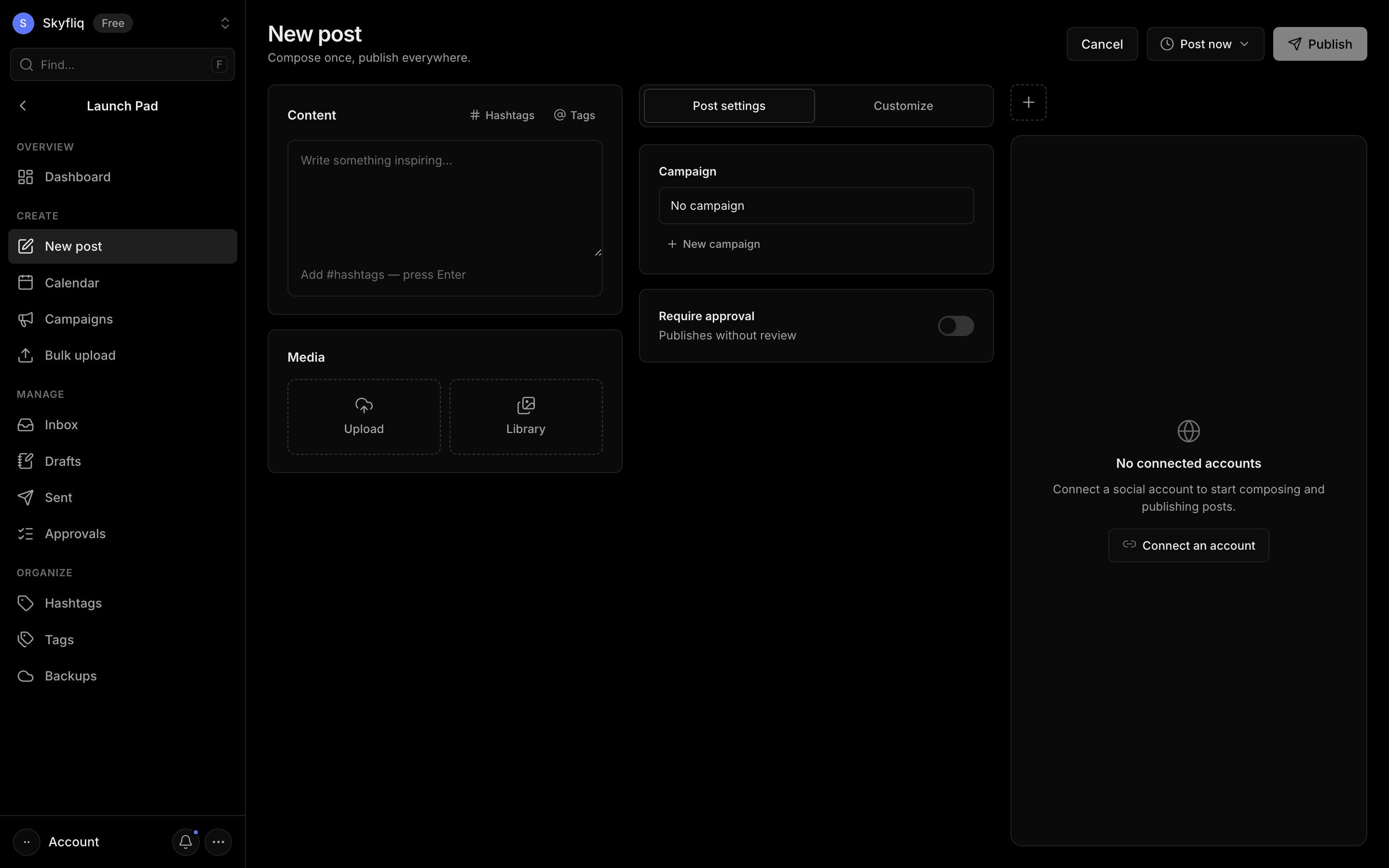
- 1Write your caption and add hashtags or tags via the field links.
- 2Upload media or pick from Library, then select channels.
- 3Use Post settings or Customize tabs to set campaign and approval.
- 4Choose Post now or Schedule for later, then click Publish.
About Launch Pad New post
New post is where every Launch Pad post starts. You write one caption, add images or video (upload them or pick from your media library), tick the accounts it should go to and see a live preview for each network side by side. For Instagram you choose Feed, Reel or Story. The Customize tab lets you change the caption, media or publish time for one network without touching the others — handy when LinkedIn needs a longer version or X needs a shorter one.
Post settings hold the extras: the campaign the post belongs to, Auto-delete (remove the post from the network after 24 hours, 3 days, 7 days or 30 days — useful for flash sales, on networks that let apps delete posts), and Require approval, which sends the post to a teammate before it goes out. Pick Post now or Schedule for later with a date, time and time zone. Right after a post goes live you get a 60-second Undo button on networks that allow it.
Common workflows
- One message, many networks. Write the main caption, select every account, then use Customize to trim or adapt it per network.
- Time-limited offer. Schedule the post and set Auto-delete so it disappears from the network when the offer ends.
- Post that needs sign-off. Turn on Require approval and pick the reviewer; it publishes only after they approve it.
Common questions
Which networks can I publish to?
Instagram, Facebook, X, LinkedIn, Threads, YouTube, Pinterest, Google Business Profile, Bluesky, Mastodon, Telegram, WordPress and Discord, once each account is connected.
Can I unpublish a post by mistake?
For 60 seconds after publishing an Undo button appears, on networks that let apps delete posts. Instagram, Threads and Google Business Profile can't be undone this way.
Can I save a post without publishing?
Yes — save it as a draft. Drafts show under Unscheduled Drafts on the content calendar.
Related: Social media scheduler · How to schedule social media posts · Best time to post on social media
Launch Pad is Skyfliq's social media scheduler. Comparing it with other tools? See Skyfliq as a Hootsuite alternative or a Buffer alternative.