Verify Emails
Email verification tool that runs syntax, DNS/MX, disposable, and role checks on pasted addresses or stored contacts, returning valid/risky/invalid/unknown.
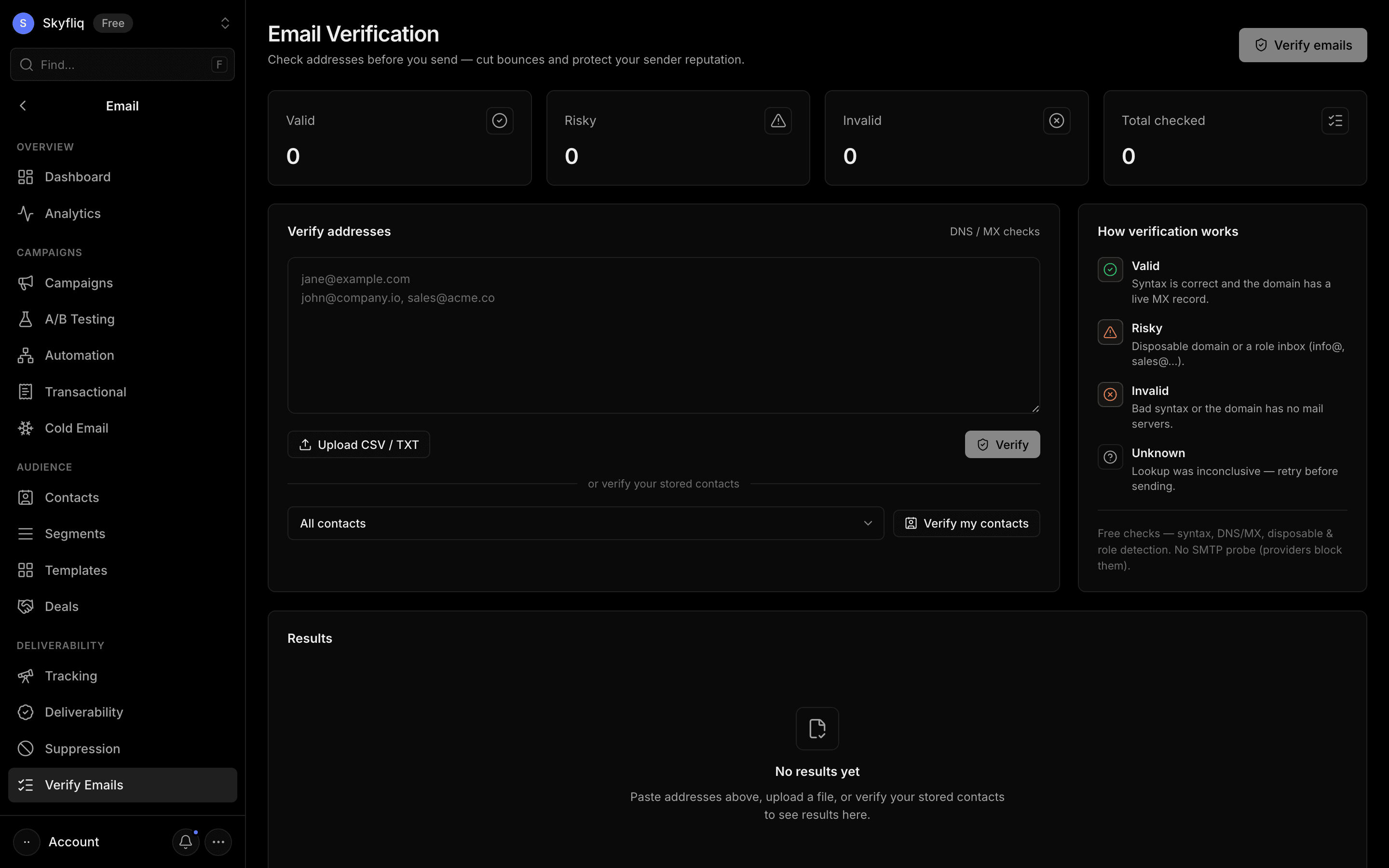
- 1Paste addresses or upload a CSV/TXT file
- 2Click Verify emails to run DNS/MX checks
- 3Or pick a segment and click Verify my contacts
- 4Filter results by valid, risky, or invalid
About Email Verify Emails
Email verification checks addresses before you send to them, so fewer emails bounce and your sending reputation stays healthy. Paste addresses, upload a CSV or TXT file, or verify the contacts you already have — all of them or one segment. Each address is checked for correct syntax, whether its domain exists and has MX records (mail servers), whether it's on a disposable-email domain, and whether it's a role inbox such as info@ or sales@.
Results fall into four groups. Valid: correct syntax and a domain with MX records. Risky: a disposable domain, a role inbox, or a domain with no MX record. Invalid: bad syntax, or a domain that doesn't exist or accepts no email. Unknown: the DNS lookup failed or timed out, so retry it. Each result shows its reason, and you can filter the list by status. There's no mailbox-level SMTP probe, because providers block them — so a Valid address can still bounce if that particular mailbox doesn't exist.
Common workflows
- Clean an imported list. Upload the CSV before importing contacts, and leave out invalid addresses.
- Before a big campaign. Verify the segment you're sending to and review the risky addresses.
- After a bounce spike. Verify all contacts and remove or suppress the invalid ones.
Common questions
Should I remove risky addresses?
Not always. Role inboxes like info@ are often real; disposable addresses are usually worth removing. Decide based on where the contact came from.
Why can a Valid address still bounce?
The check confirms the domain accepts mail, not that the specific mailbox exists.
What file formats can I upload?
CSV or TXT files. Addresses can be separated by new lines, commas or semicolons.
Related: Email deliverability guide · Docs: email deliverability