Chatbots Bots
A bot list where each bot links to its Playground (greeting, quick replies, live preview), Answers (keyword-to-reply rules and fallback) and Install snippet.
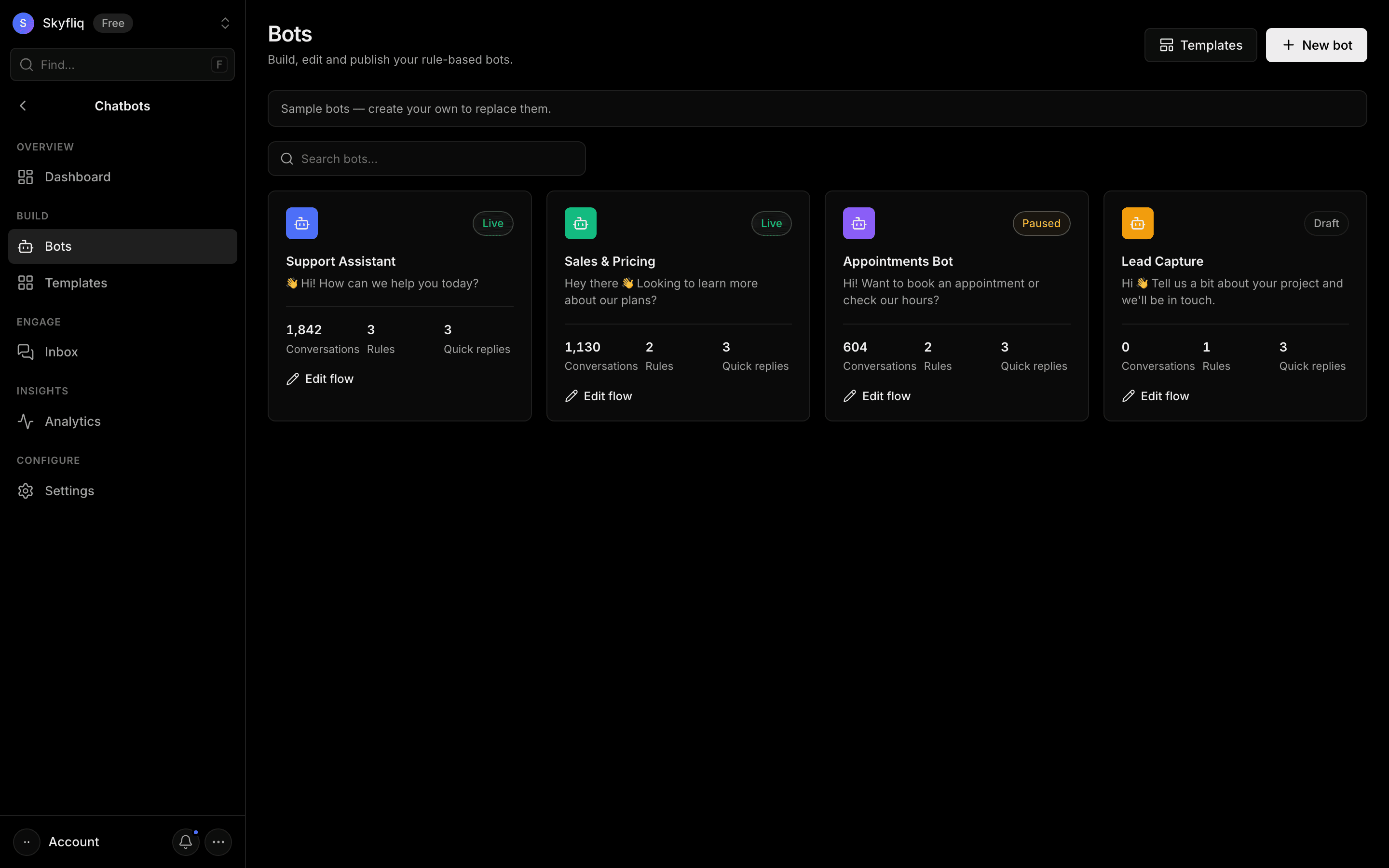
- 1Click New bot to create one; each bot card shows its answers count.
- 2Open Playground on a card to set the greeting and quick replies and try the bot.
- 3Open Answers to add the keyword-to-reply rules and the fallback message.
- 4Open Install to copy the one-line script for your site.
About Chatbots Bots
Bots lists every chatbot agent in your workspace as a card with its colour, status (live or paused), greeting, and how many answers and quick replies it has. Search finds a bot by name; Templates starts a new one from a ready-made conversation. From each card you can open the Playground to test it, Answers to edit what it says, or Install to get the code for your website.
These are rule-based bots — no AI is needed. A bot opens with a greeting and a few tappable quick replies. Each trained answer has example questions or keywords and a reply; when a visitor types something, the bot picks the best-matching answer the same way every time, and sends a fallback message when nothing matches. To put it on your site, paste the one-line install snippet just before </body> and a chat button appears in the corner. Pausing a bot takes it off your site without deleting it.
Common workflows
- Answer common questions. Add answers for opening hours, delivery, prices and how to book, each with a few example questions.
- Test before going live. Open the Playground, type questions the way customers would, and add keywords where the bot misses.
- Capture leads. Use a fallback that offers a way to reach you, so no visitor leaves without a next step.
Common questions
Does the bot use AI?
No. Answers are matched on your example questions and keywords, so replies are predictable and always yours.
Can I have more than one bot?
Yes — for example one per website or language. Each has its own install snippet.
Will it work on WordPress, Shopify or Wix?
Yes. Any site that lets you add a script before </body> can show the chat button.
Related: Website chatbot guide · Customer service on social media