Chatbots · Activity
Conversations
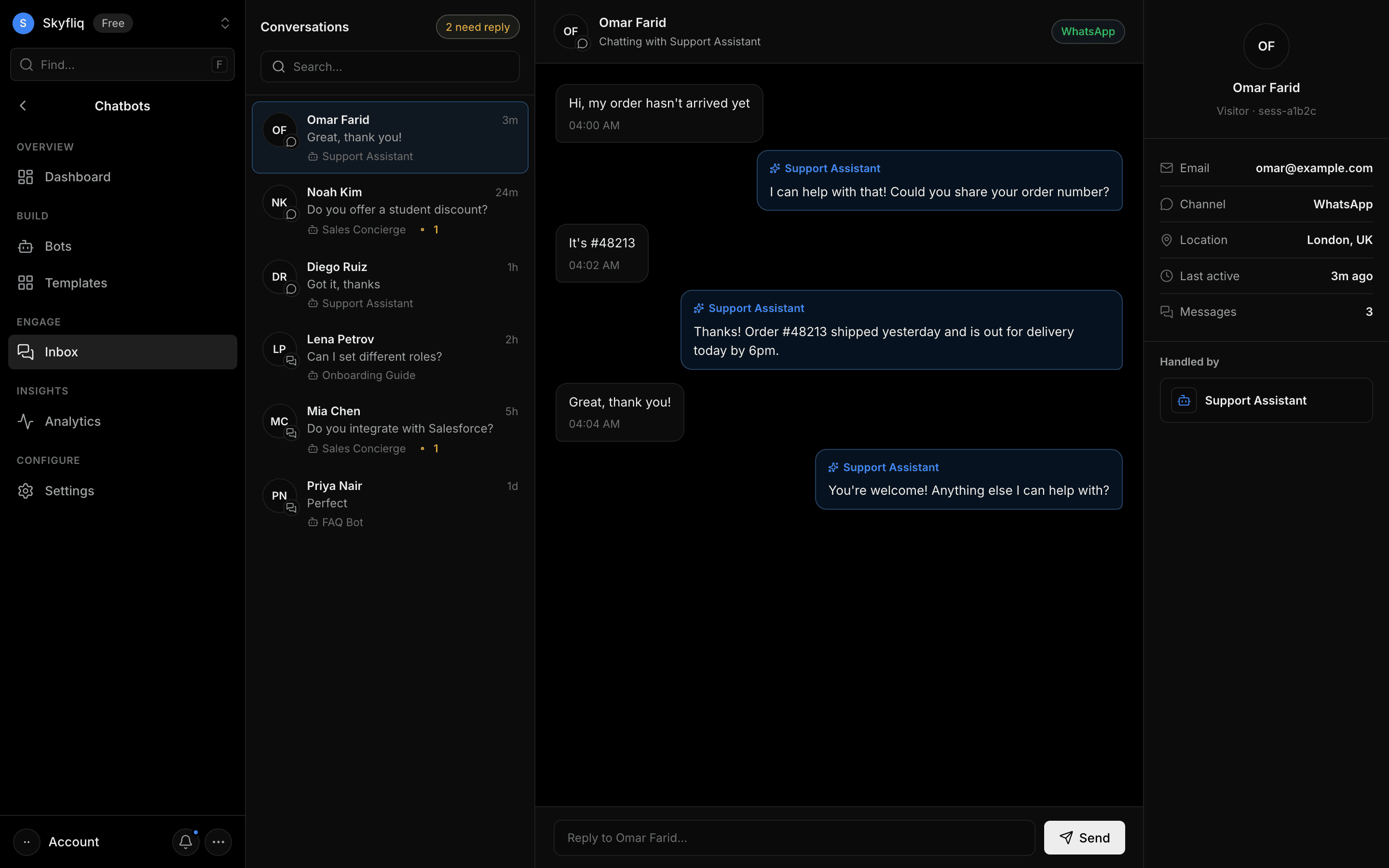
A support-console inbox of bot conversations with a thread view, agent replies, and a visitor info panel.
PurposeA support console showing live visitor conversations across bots and channels, with agent reply.
app.skyfliq.com/chatbots/inbox Open
How to use
- 1Search or pick a conversation from the left list.
- 2Read the visitor-and-bot thread in the center pane.
- 3Type in the reply box and click Send to respond as an agent.
- 4Check the right panel for visitor email, channel, and location.
Use caseJump into an escalated conversation and reply to the visitor as a human agent.