SEO · Overview
Speed & Tech
In Skyfliq: SEO → Site Health → Speed & Tech tab
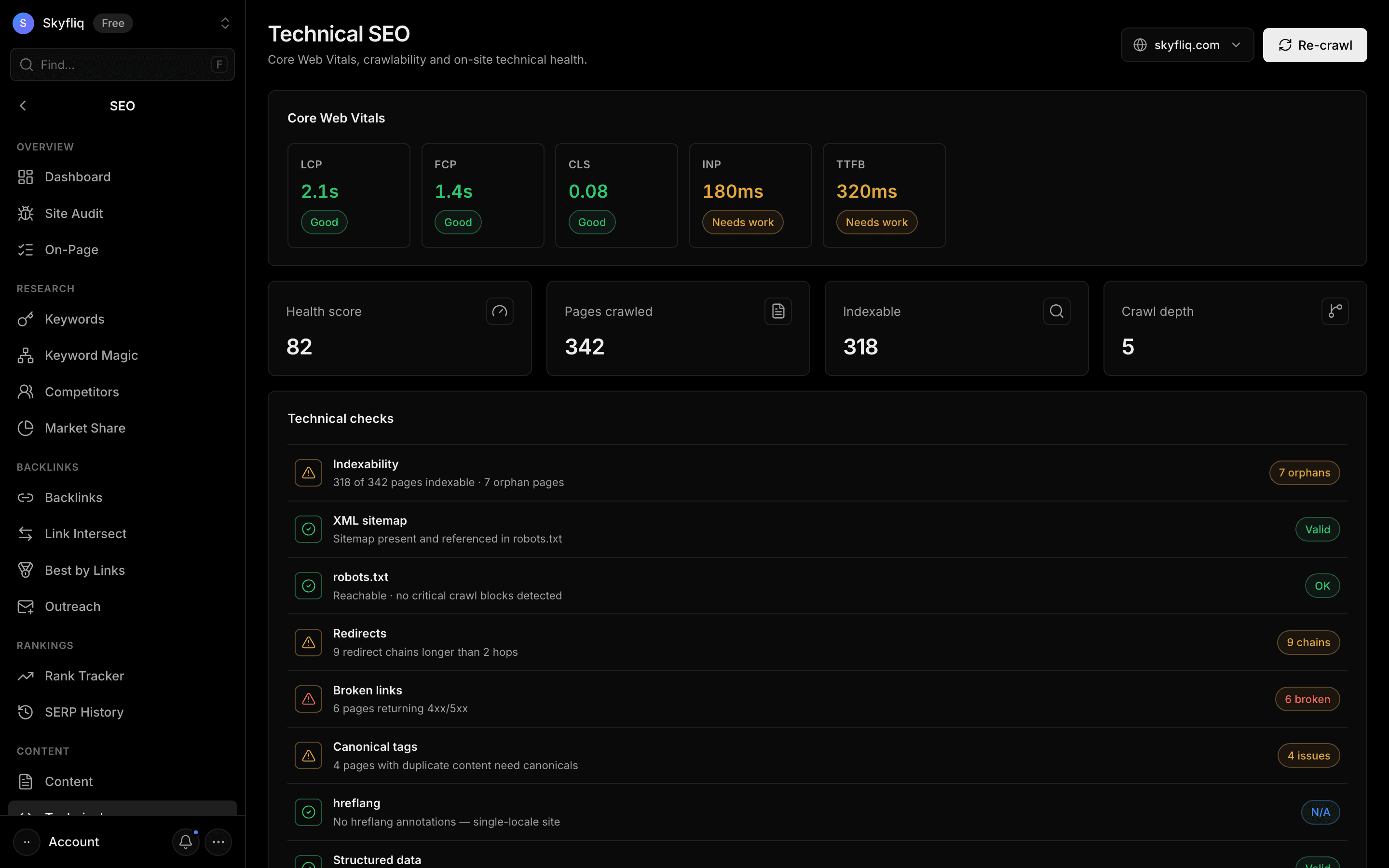
Site Health → Speed & Tech shows Core Web Vitals for your top pages on mobile and desktop (lab and real-user data), redirects, canonicals, duplicates and HTTPS, plus hreflang checks, structured data validation and internal-link suggestions — orphan pages, deep pages and which strong pages should link to weaker ones. It reads the latest crawl; crawl again from the Audit tab.
PurposeFix speed, redirects, international and internal-linking issues found in your latest crawl.
app.skyfliq.com/seo/technical Open
How to use
- 1Open SEO → Site Health → Speed & Tech
- 2Review Core Web Vitals for your top pages
- 3Scan the Technical checks list for warnings
- 4Follow the internal-link suggestions
- 5Crawl again from the Audit tab when you've made fixes
Use caseUse it to fix speed, international, schema and internal-linking issues.