SEO · Keywords
Rankings
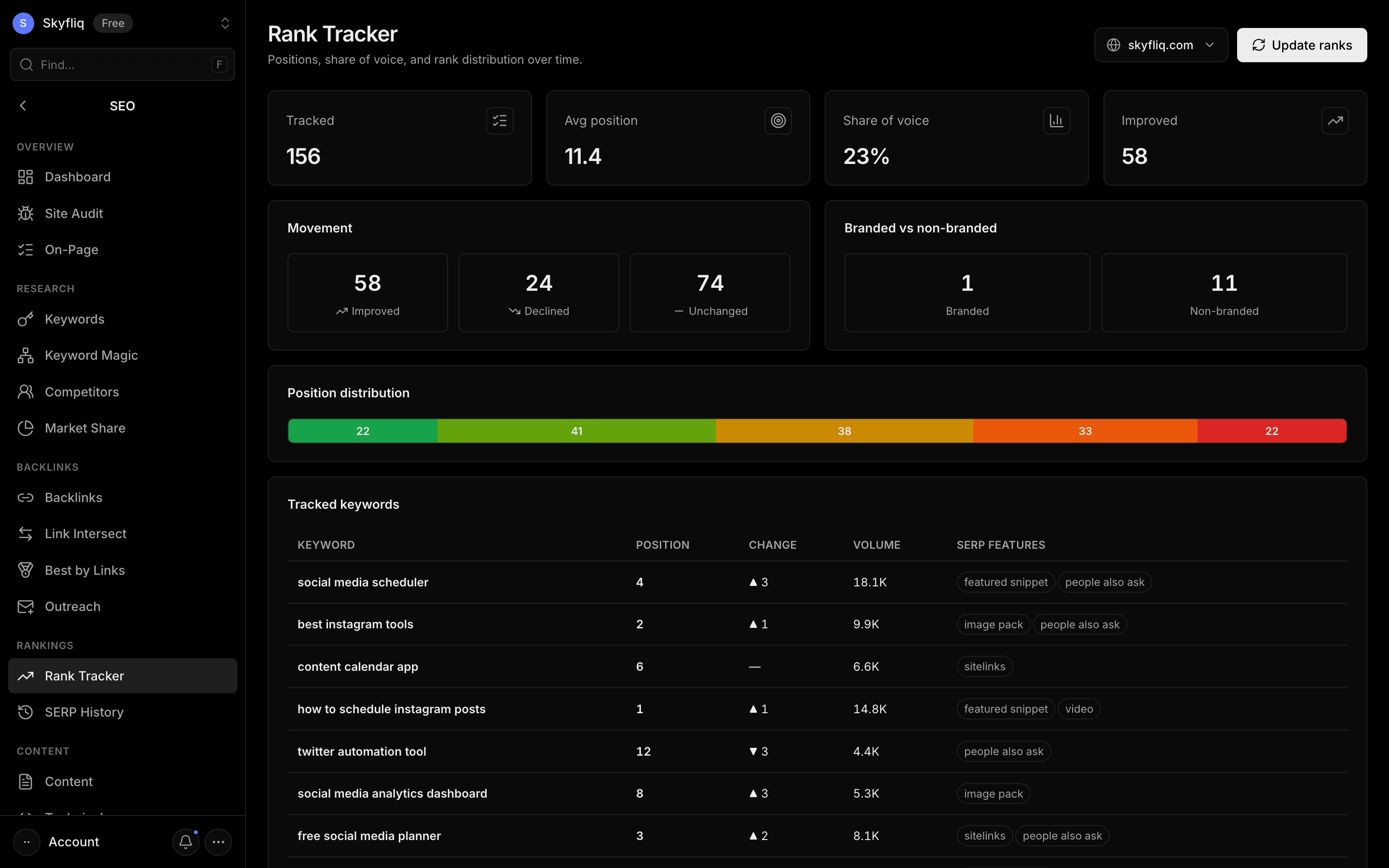
Rankings checks your tracked keywords automatically (daily or weekly) on desktop and mobile, optionally for a city, and shows your keyword ranking distribution — top 3, top 10, top 20 and beyond — plus competitors’ positions, history charts, visibility and recent changes. It emails you when rankings drop and can also use your Google Search Console positions for free. The Results History tab shows how the results page for a keyword changed over time.
PurposeTrack keyword positions, share of voice, and rank movement over time to monitor search performance.
app.skyfliq.com/seo/rankings Open
How to use
- 1Open SEO → Rankings
- 2Click Update ranks to pull current positions (or use free Search Console positions)
- 3Review movement and distribution
- 4Set daily or weekly checks in Tracking settings
- 5Open the Results History tab to see why a keyword moved
Use caseUse it to watch your rankings over time and react quickly when a keyword drops.