SEO · Keywords
Keywords
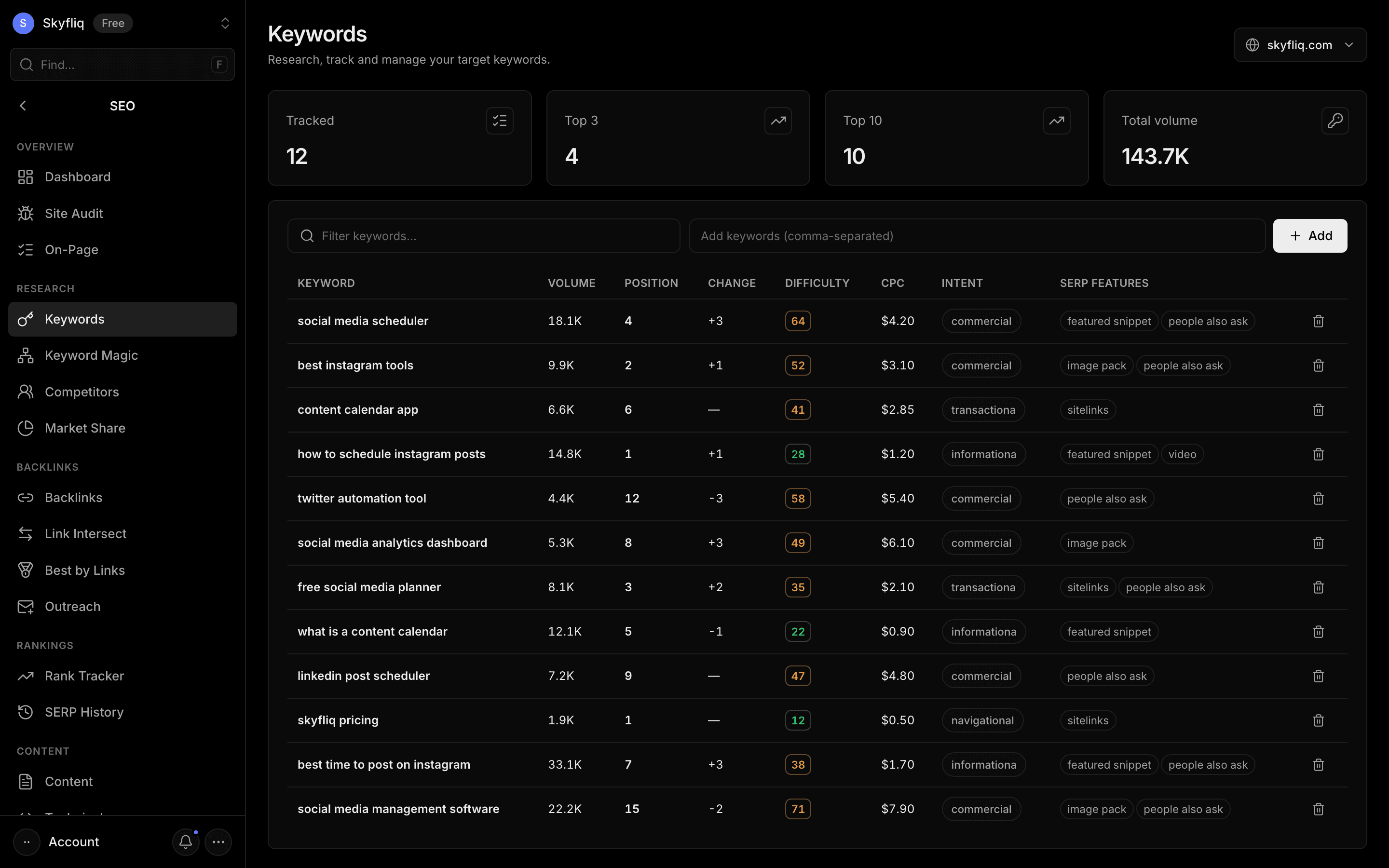
Keywords lets you add and track target terms in a table showing volume, position, change, difficulty, CPC, intent and SERP features, organised into lists. The Find Ideas tab finds up to 1,000 keyword ideas for a seed — phrase match, broad match, related and question keywords — with filters and sorting.
PurposeResearch, track, and manage your target keywords with position, volume, and difficulty in one table.
app.skyfliq.com/seo/keywords Open
How to use
- 1Open SEO → Keywords
- 2Type keywords (comma-separated) in the add field and click Add
- 3Filter the list with the search box
- 4Open the Find Ideas tab to discover new keywords
Use caseUse it to build and manage your tracked keyword list, and to find new keywords to target.