SEO · Local
SEO Maps Ranking
Maps Ranking shows your Google Business Profile, local pack rankings, a map rank grid (how you rank across your area, as a heatmap), NAP consistency and citation listings.
PurposeSee where nearby customers find you on Google Maps and fix listing problems.
app.skyfliq.com/seo/local Open
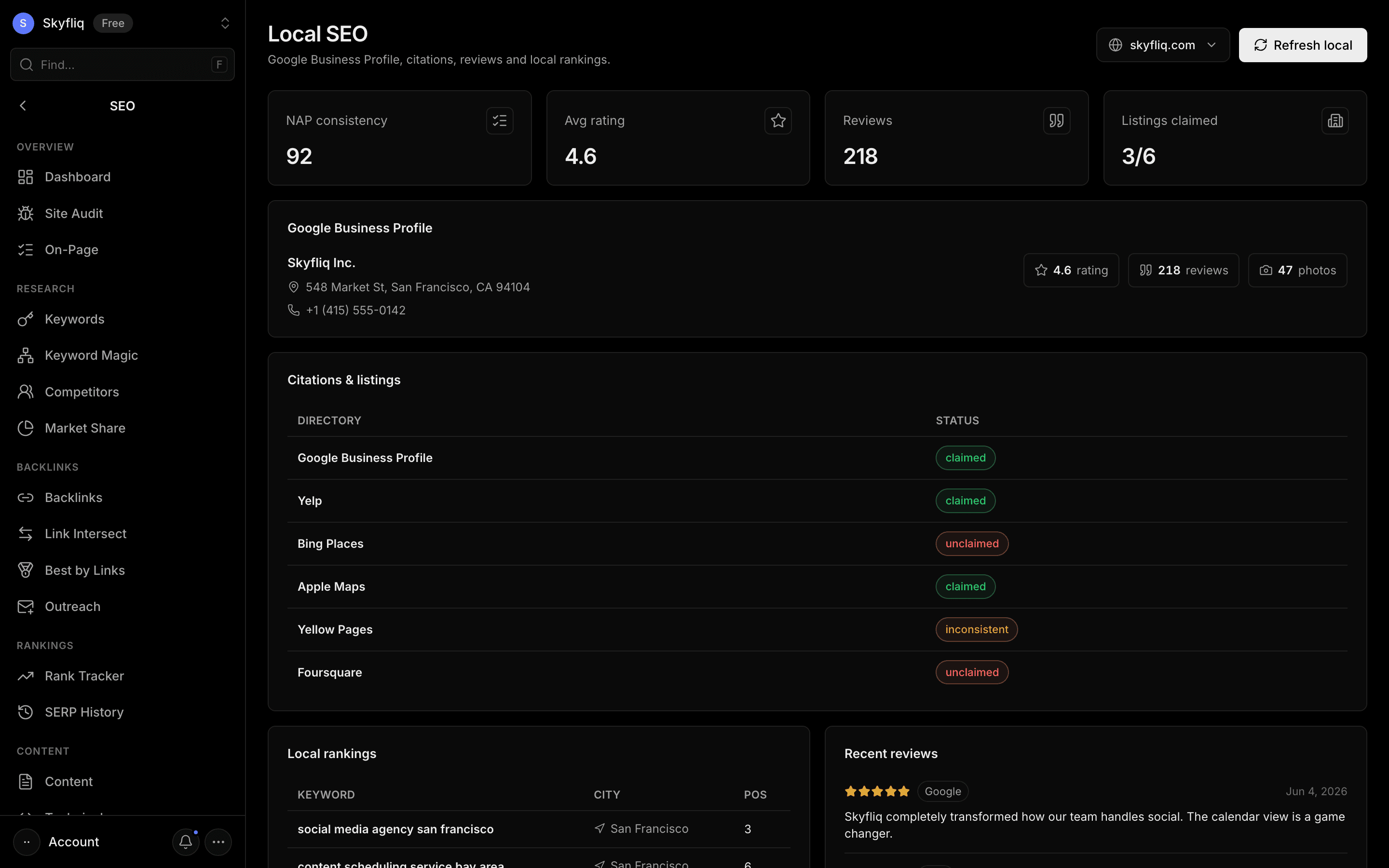
How to use
- 1Open SEO → Maps Ranking
- 2Find your Google Business Profile
- 3Run the map rank grid for your area
- 4Check NAP consistency and citations
Use caseUse it to see where nearby customers can find you on Google Maps and fix listing problems.
Want a quick check without signing in? Try the free website SEO checker, the Google rank checker and the readability checker — no account needed.
More in SEO
ReportsReports turns the data your SEO tools already collected (full, audit, keywords, backlinks or rankings) into a branded PDF with your name, logo and colour — download it, email it, or schedule it weekly or monthly.OverviewOverview summarizes health score, domain authority, keywords, backlinks, share of voice, site-health issue counts, rank distribution, top keywords and your top tasks.To-doTo-do is your SEO task list, most important first — tasks come from your audit, keywords, Search Console and Flit, and you can add your own, mark them doing or done, or skip them.PerformancePerformance shows your real Google data for the project's site.Site HealthSite Health crawls your site (100, 500 or 1,000 pages), scores its health and groups problems by type — click any issue to see exactly which pages have it, export them as CSV, and compare any two audits.Page FixerPage Fixer runs an on-page SEO check: title and meta description length, headings, word count, internal and external links, images missing alt text, canonical, Open Graph and structured data, page speed and an overall on-page score with a list of issues to fix — and on WordPress it can apply the fixes for you.