Link Hub Short Links
Short-link creator with custom code, campaign, UTMs, password, A/B, scheduling, plus a searchable table with clicks and status.
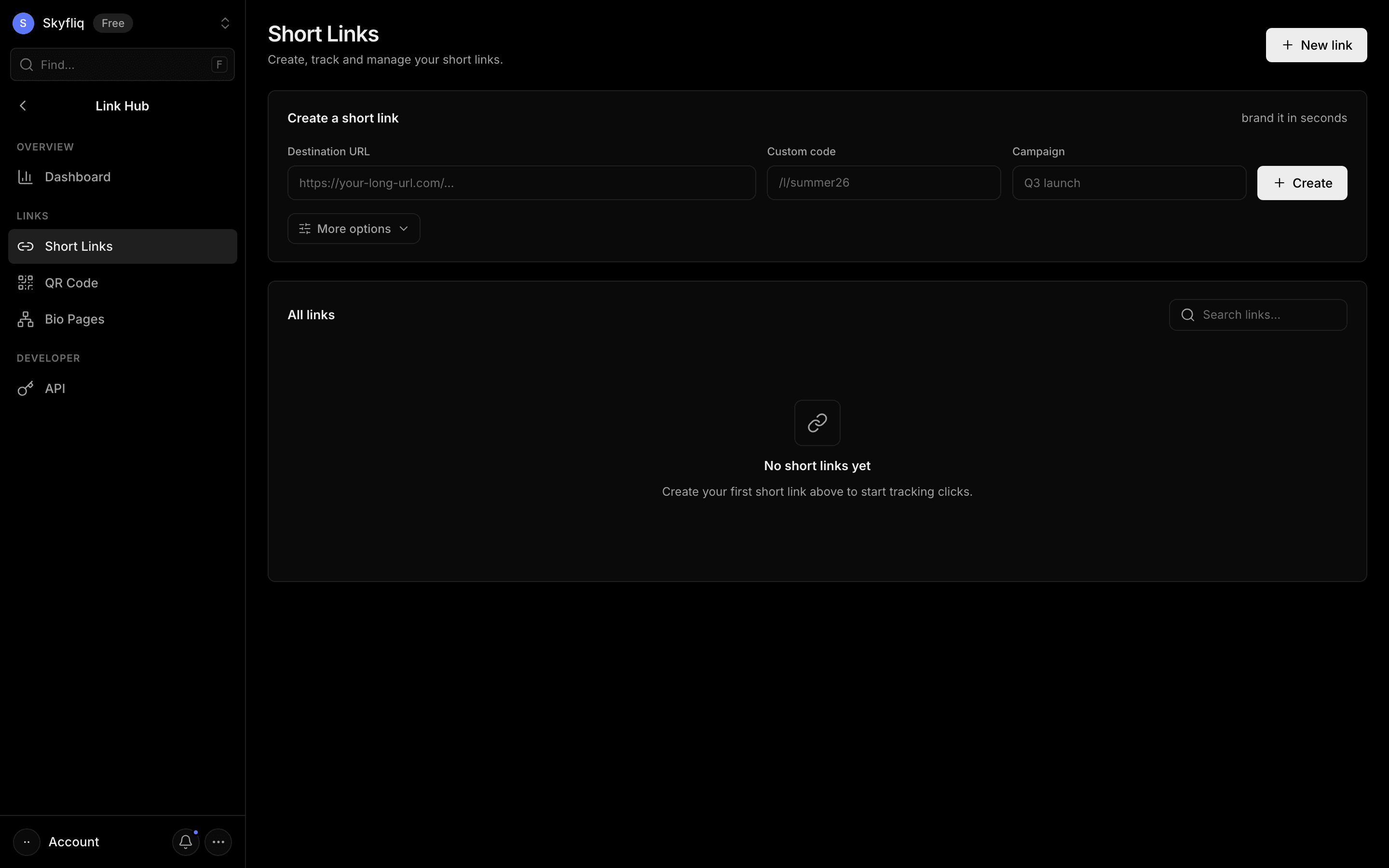
- 1Enter a destination URL, optional custom code and campaign.
- 2Expand More options for UTMs, password, expiry and folder.
- 3Click Create to generate the short link.
- 4Copy, edit or delete links in the All Links table.
About Link Hub Short Links
Short links turn a long address into a branded one under /l/ — for example /l/summer26 — and count every click. Enter the destination, an optional custom code and a campaign name, then click Create. More options adds a title for your own reference, UTM source, medium and campaign tags (added to the destination so Google Analytics sees where visits came from), a password gate, a folder, a deep link that opens your app, and start and expiry dates.
Two options are worth knowing. An A/B destination splits clicks roughly 50/50 between the main URL and a second one, so you can compare two landing pages with a single link. Start and expiry dates make a link Scheduled before it starts and Expired after it ends, which suits time-limited offers. The All links table shows each link's destination, clicks, created date and status (Active, Scheduled or Expired), with buttons to copy, edit, make a QR code or delete it.
Common workflows
- Track a post. Make one short link per channel with its own UTM source, so clicks and visits are counted separately.
- Test two landing pages. Add an A/B destination and compare which page brings more sign-ups.
- Run a weekend sale. Set a start and expiry date so the link only works while the offer is live.
Common questions
Can I change where a short link goes?
Yes. Edit the link and change its destination; the short address stays the same, so printed codes and old posts keep working.
What happens when a link expires?
It stops sending people to the destination and shows as Expired in the table.
Can I make a QR code for a short link?
Yes — use the QR button on the link's row, or the QR Code page in Link Hub.
Related: UTM parameters guide · Docs: QR codes · Docs: link attribution