Link Hub QR Code
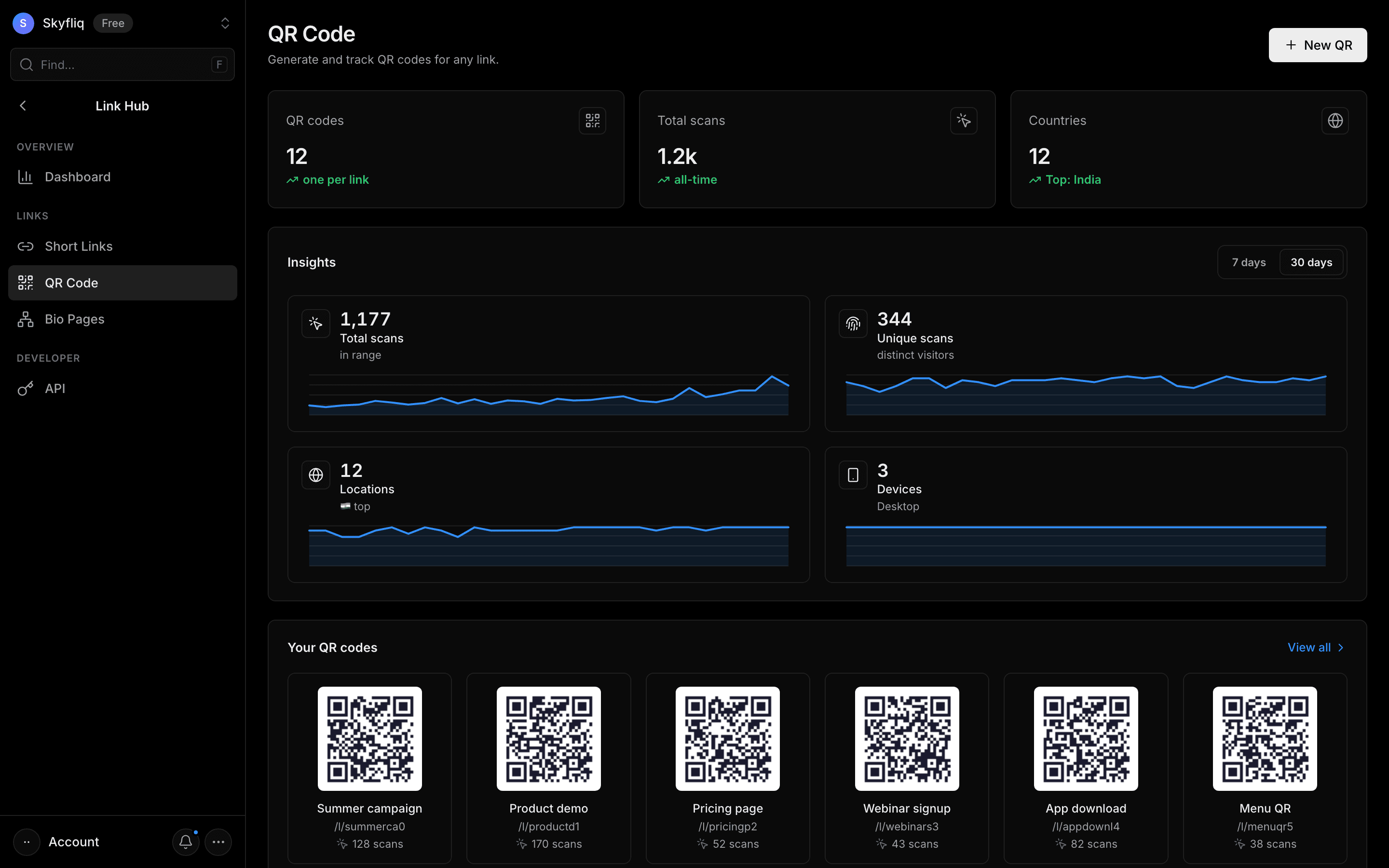
QR code generator and dashboard with scan insights, unique visitors, locations, devices and a grid of per-link QR codes.
- 1Click New QR and enter a URL in the studio.
- 2Design and download the QR code.
- 3Review scan Insights over 7 or 30 days.
- 4Click a QR card or View all to inspect its stats.
About Link Hub QR Code
The QR Code page in Link Hub creates QR codes for any link and tracks how often they're scanned. Click New QR, enter the URL and design the code in the studio: name it, choose a dot style (such as square, dots, rounded, classy or smooth) and the style of the corner eyes, set the colours and background, and optionally upload a logo for the middle. Download it as PNG or SVG for print or screens.
Each QR code points through a Skyfliq link, so every scan is counted. Insights show scans and unique visitors over the last 7 or 30 days, plus where people scanned from and which devices they used. Click any QR card, or View all, to see its own stats.
Common workflows
- Print materials. Put a QR on a menu, flyer, packaging or shop counter that opens your offer, booking page or link-in-bio page.
- Track an event. Make one QR per poster or location, then compare scans to see which placement worked.
- Campaign tracking. Add UTM tags to the destination so scans show up as their own source in Google Analytics.
Common questions
PNG or SVG?
SVG for print — it stays sharp at any size. PNG for screens, slides and social posts.
Will a logo stop the code from scanning?
A small logo in the centre is fine for most designs. Test the downloaded code with a couple of phones before printing.
Related: QR code marketing playbook · UTM parameters guide