Booking Bay · Configure
Settings
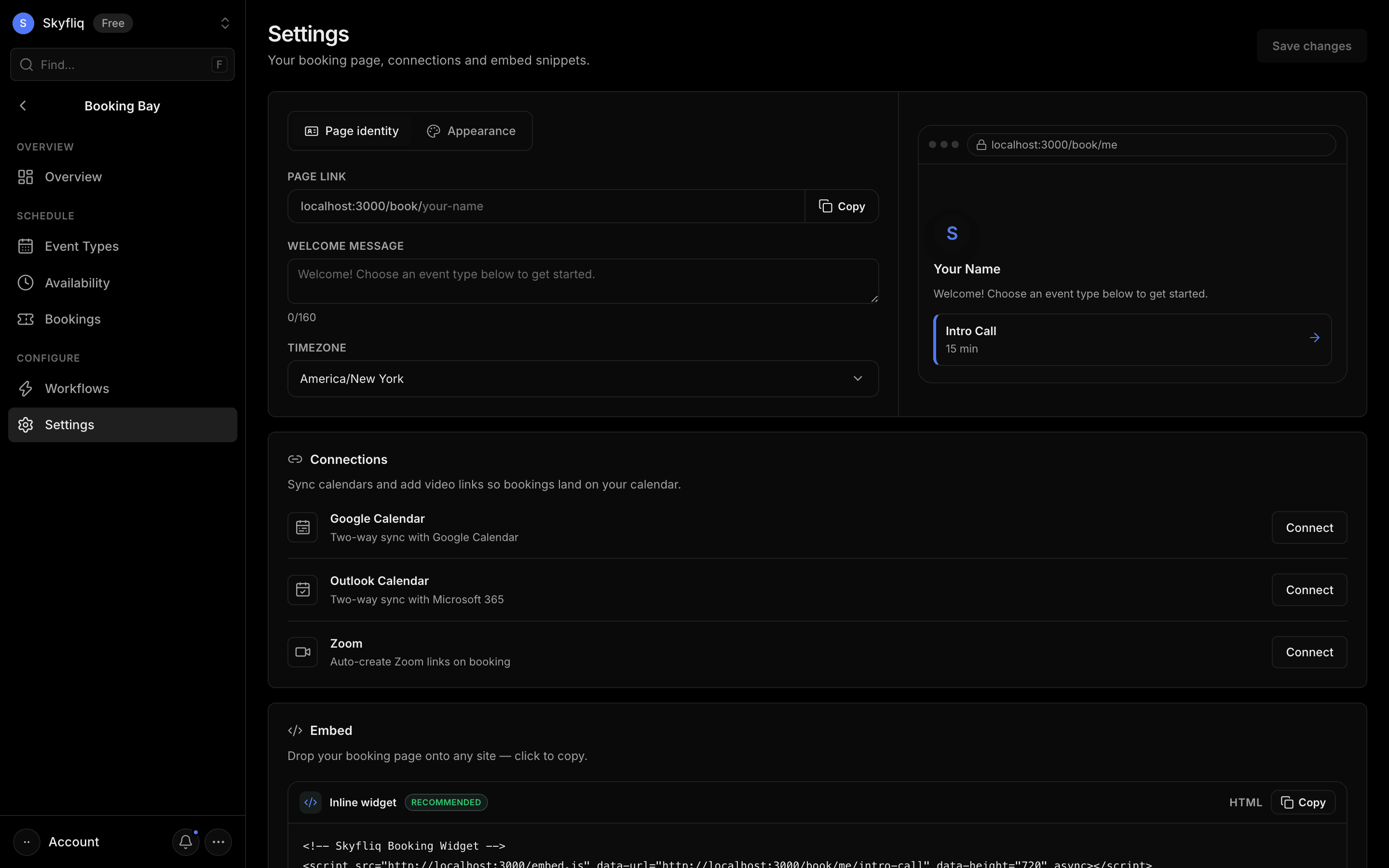
Scheduling settings for your booking page slug, timezone, brand color, welcome message and embed snippets.
PurposeConfigure your booking page identity, appearance, connections and embed snippets.
app.skyfliq.com/bookingbay/settings Open
How to use
- 1Switch between the Identity and Appearance tabs.
- 2Set your booking page slug and brand color.
- 3Adjust the welcome message and timezone.
- 4Click Save changes to apply.
Use caseCustomize your public booking link and booking-page branding.